
3D data apps should be built like the rest of the web
Python app frameworks put scientific results in front of people who don't write Python. They pin each user's session to a server process, and that stops scaling once a 3D app has big data, many users, and AI agents calling it.
 Bane Sullivan
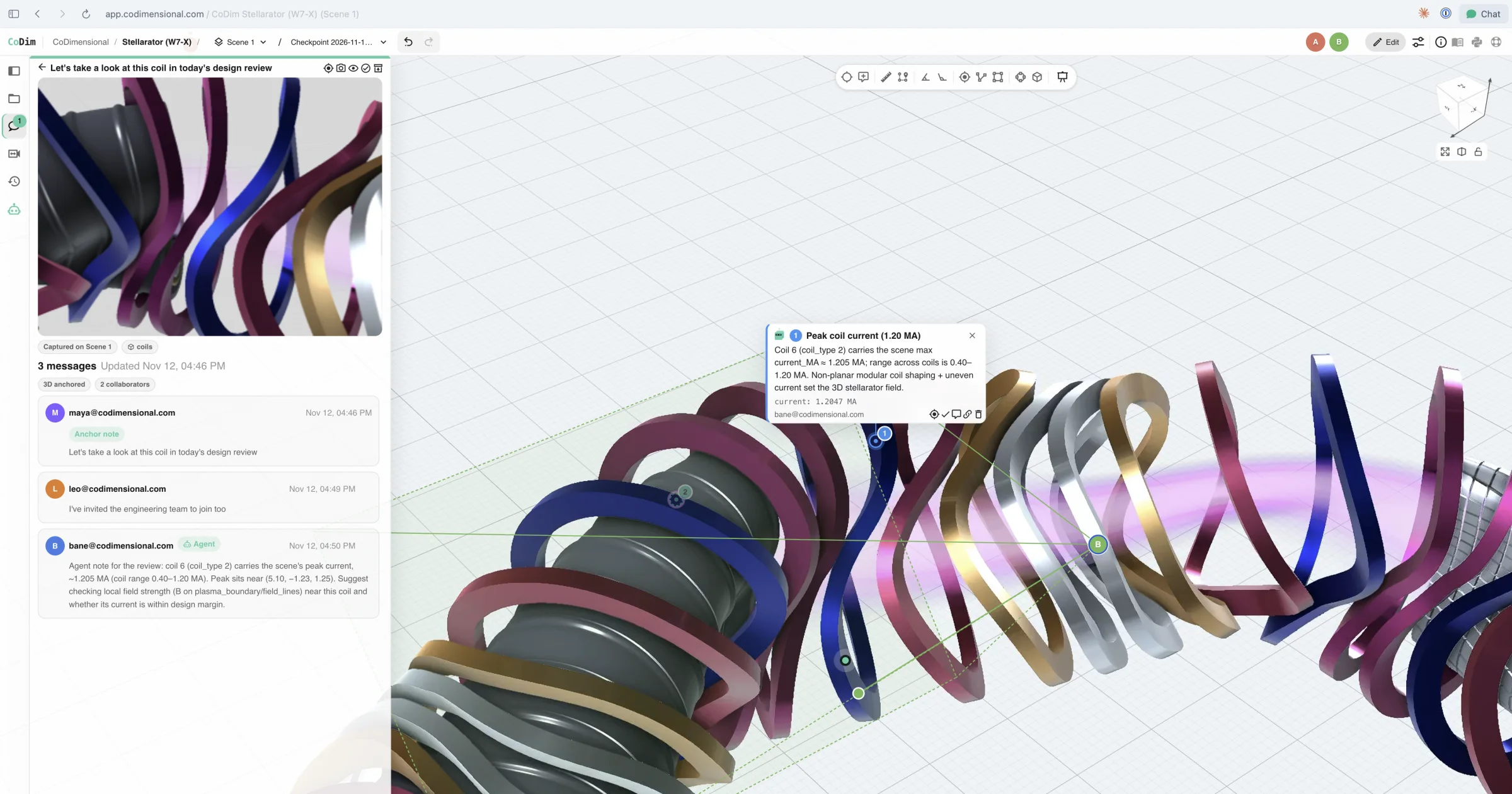
A design review of a stellarator's coils in a shared CoDim scene. Teammates and an agent share one thread, and the agent's note is pinned to the coil that carries the peak current.
Robots, autonomous vehicles, digital twins, and the simulations that train them all produce 3D data: meshes, point clouds, volumes, and time series measured in terabytes to petabytes. That data is moving to the cloud, while the engineers and AI agents who act on it are spread across teams and companies.
I’ve spent my career building tools for this data, from PyVista on the desktop and in Jupyter notebooks to web applications for scientific teams. Every one of those apps started as a demo that worked for one person and then had to become a product for many. Closing that gap is part of why I co-founded CoDimensional.
Why a scientist ends up building a web app
A notebook full of plots is useful to the person who wrote it and to anyone with the same Python environment, the same data on disk, and a free afternoon. Everyone else gets screenshots in a slide deck.
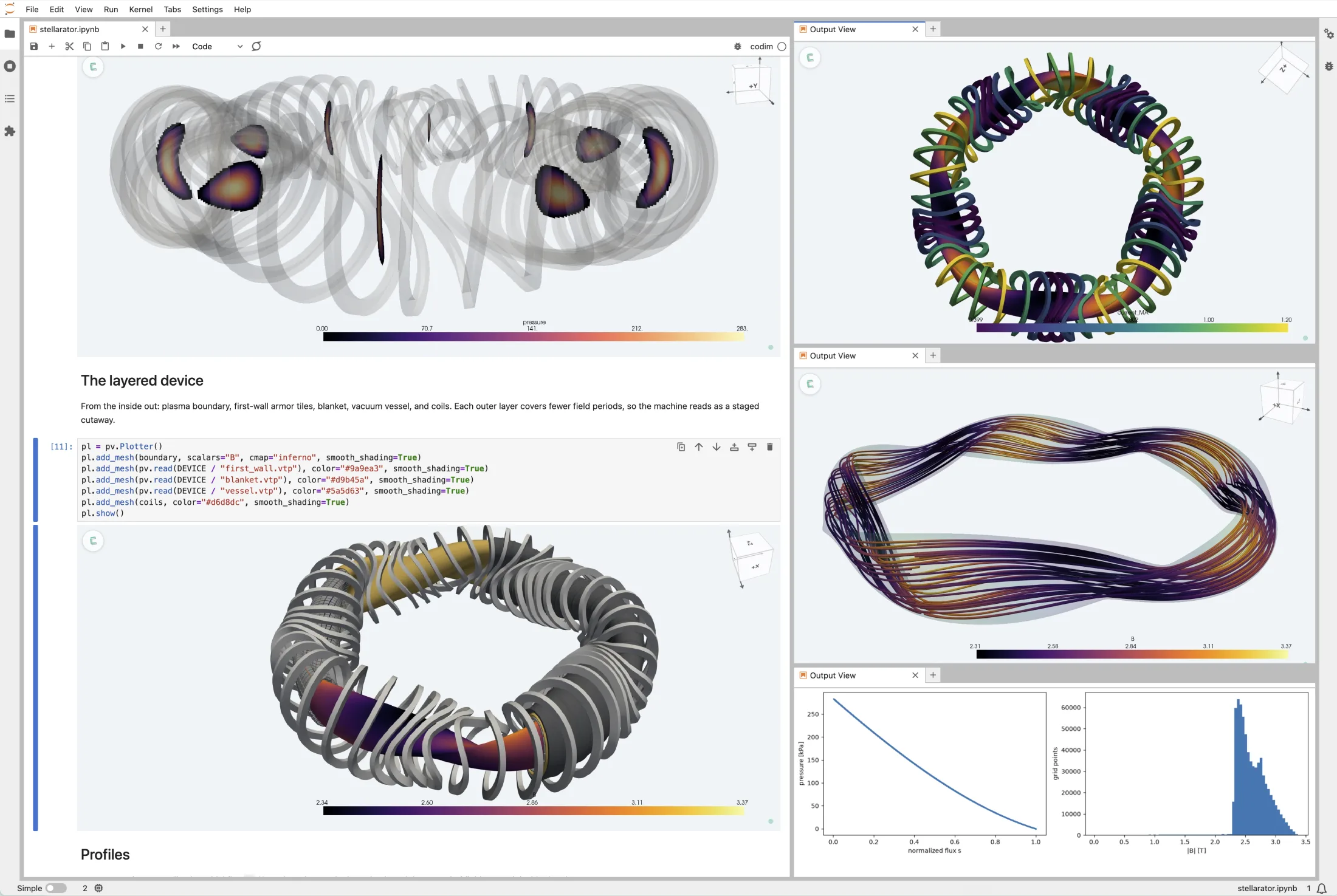
The people who need these results are usually not the people who produced them. A program manager signs off on a design from a CFD run they will never reproduce. A robotics team triages a failed run from sensor logs that only one engineer knows how to work with. An exploration geologist adjusts their field campaign based on the analytics or modelling a remote team ran last night.
Put the result in a browser, live and interactive, and they can look at the data itself and check the answer for themselves.
Looking is only half of it. These apps exist so someone can change an input and run the science again: move a well, change an inlet speed, re-run the solver, the inversion, or the model. That code is Python, built on NumPy, SciPy, PyVista, and the team’s own solvers, and it has to keep running behind the page.
Python app frameworks turn a notebook into a web page
Getting a notebook into a browser the usual way means learning React, writing a REST API, and setting up a build pipeline, all to share a plot with a few sliders. Nobody on a science team wants to do that.
Streamlit, Panel, Voilà, and Trame all answer that need: write Python, get a web page. The science code from the notebook runs behind that page unchanged. For an internal tool, a lab demo, or one expert driving a workstation, that’s a great trade, and it moved a lot of science out of notebooks and in front of the people who needed it.
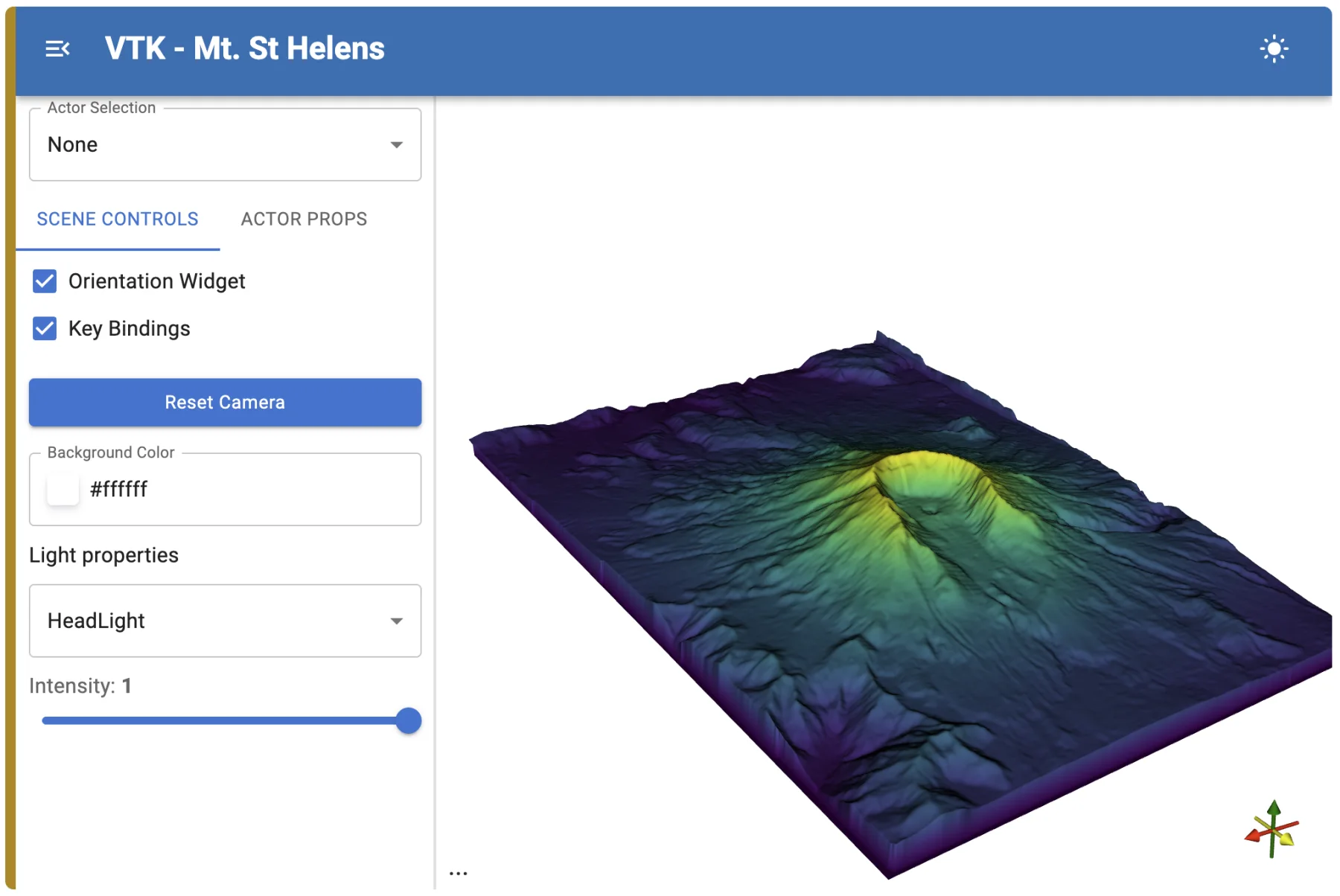
I want to give Panel and its foundation, Param, particular credit, because Param changed how I think about this problem. With Param you declare an object’s parameters once, with their types, bounds, and documentation, and say which methods depend on which parameters. Panel reads those declarations and builds the widgets. Your logic never imports a UI library. Panel’s docs on its declarative API put the payoff well: “the GUI code can be maintained fully independently from the rest of the code.” The HoloViz team built a whole toolkit on that separation between model and view.
pn.Param(Mesh()) reads the declarations and builds an integer slider, a dropdown, and a checkbox (checked against Param 2.4.2 and Panel 1.10.0), and @param.depends reruns view when one of them changes.These frameworks pin each session to a server process
Under their different APIs, these frameworks share one design. Each browser session is bound to a long-lived Python process on the server, either its own process or a slot inside a shared one. That process holds the application’s state: the loaded data, the solver or model and its intermediate arrays, the widget values, the UI tree, and for server-side 3D, a GPU render window. The browser shows what that process tells it to. Any interaction wired to the app’s logic, its data, or its 3D view goes up a WebSocket to Python, Python decides what changed, and the result comes back down. That is the notebook execution model with a web page in front of it.
In Streamlit, each browser tab is its own session, every widget interaction reruns the whole script, and behind a load balancer “some Streamlit features won’t work without session affinity.” Panel runs on the Bokeh server, which keeps each session’s document alive in the server process. Voilà starts “a new Jupyter kernel for each notebook you click.” Trame’s maintainers describe its default as process isolation, one process per user. JupyterHub, a common way scientific teams share notebooks, follows the same pattern with a server per user.
Plotly’s Dash is the exception. Its docs say “Dash was designed to be a stateless framework,” and any process can answer any callback. That’s why Dash apps scale with ordinary web infrastructure. Unfortunately, Dash still leaves big 3D data, streaming, server-side compute, and collaboration for you to build.
Dash shows a Python framework can be stateless. The rest bind each session to a process, and for a 3D web app that’s the wrong foundation. It ties the whole application to the lifetime of one server process: its memory, its GPU, its machine, and its one WebSocket. It is how you’d build a desktop application and hand each user a remote copy of it.
Drawing 3D in the browser doesn’t get you out of this. Rendering is one of the things the process does. Move it to the user’s GPU and the session still holds the dataset, the intermediate arrays, and the running solver, and it still needs that one process to stay alive. The reason to build these apps in Python is the science code, so the question is where that code runs and what it is allowed to hold.
The first-deadline trap
These frameworks are remarkably good at a project’s first deadline: a web page where someone can interact with their 3D data and re-run a simulation interactively, built in little time. That deadline is also the one that decides what the project gets built on. The demo works, people are impressed, and its success locks in the tool for everything built after it. The costs arrive later, once the app has real users. By then months of code sit in the framework, and nobody wants to write off that sunk cost.
Cost scales with open tabs
A session holds the loaded dataset and the science code’s working memory for as long as the tab is open, plus a GPU if it renders server-side. A user who left a tab open over lunch costs the same as one doing analysis. The only lever is an idle timeout that kills the session, and because the state lived in that process, the user comes back to a blank app and loads everything again. You choose between paying for idle tabs and throwing away people’s work. The figure below counts GPUs, and the same arithmetic applies to memory and CPU when the app renders in the browser.
Sessions are pinned to machines
The load balancer has to send each user back to the process holding their state. Autoscaling becomes a coordination problem, a deploy has to drain sessions instead of replacing servers, and a crashed process takes every user’s unsaved state with it.
Everything waits on a round trip
Opening a menu, switching a tab, or highlighting a row needs nothing from the server. In these frameworks, anything wired to a Python callback goes through one anyway. Add 100 ms of latency and the whole app feels slow, including the parts that have nothing to do with 3D. I’ve watched it happen in Panel apps and in Trame apps. Trame’s way out is to move that logic into the browser as JavaScript written inside Python strings, which trades the latency for a maintenance problem described below.
Collaboration needs state outside the session
If state lives in one process’s memory, two users either get two processes that can’t see each other, or share one process and share everything, including each other’s camera and selection. Comments, presence, and following another user’s view need shared state with per-user views over it, and that state has to live somewhere outside any one session.
Scripts and agents need a second API
The app’s logic is wired to widget callbacks inside a session. To let a script, a CI job, or an AI agent do what a user does, you write and maintain a second API beside the app, with its own auth and its own copy of the logic.
Frontend engineers can’t work in it
Web teams build with components, routers, design systems, accessibility tooling, and browser test suites. A UI tree written as Python objects gets none of that.
Trame is the extreme case, and the one aimed at 3D. It wraps Vue components in Python, so you assemble the page as a tree of Python objects, and it keeps a shared state dictionary in the Python process that the browser mirrors. Add trame-vtk and the same process holds a VTK render window for each 3D view. Whatever should run in the browser is JavaScript written inside Python strings:
vuetify3.VSlider(v_model=("resolution", 6), min=3, max=60)
vuetify3.VBtn("Reset", click="resolution = 6; show_edges = !show_edges")
html.Div("{{ resolution * 2 }} cells", v_show="show_edges")
Trame copies those strings into the Vue template as they are: the button above becomes <VBtn @click="resolution = 6; show_edges = !show_edges">. No Python linter, type checker, or test ever reads them, and a typo shows up only in the browser at runtime. A component Trame doesn’t wrap means writing it in Vue anyway, then building it and packaging it as a Python module so Trame can import it. Your frontend engineers have to work through a Python layer that hides the framework they know, and your Python engineers end up debugging Vue they never wrote.
This is about as backwards from web development as it gets. We hear the same story from almost every team that comes to CoDim after building on trame because they found it through PyVista. The prototype came together quickly and impressed the people who saw it. When they tried to ship it, nobody on the web team could work in it, the data engineers and scientists spent their time debugging silent errors that only pop up in the browser console at runtime, and serving it to more than a few users meant building non-standard deployment infrastructure that doesn’t scale. That is the first-deadline trap in full: the first demo is easy, and every step after it is harder.
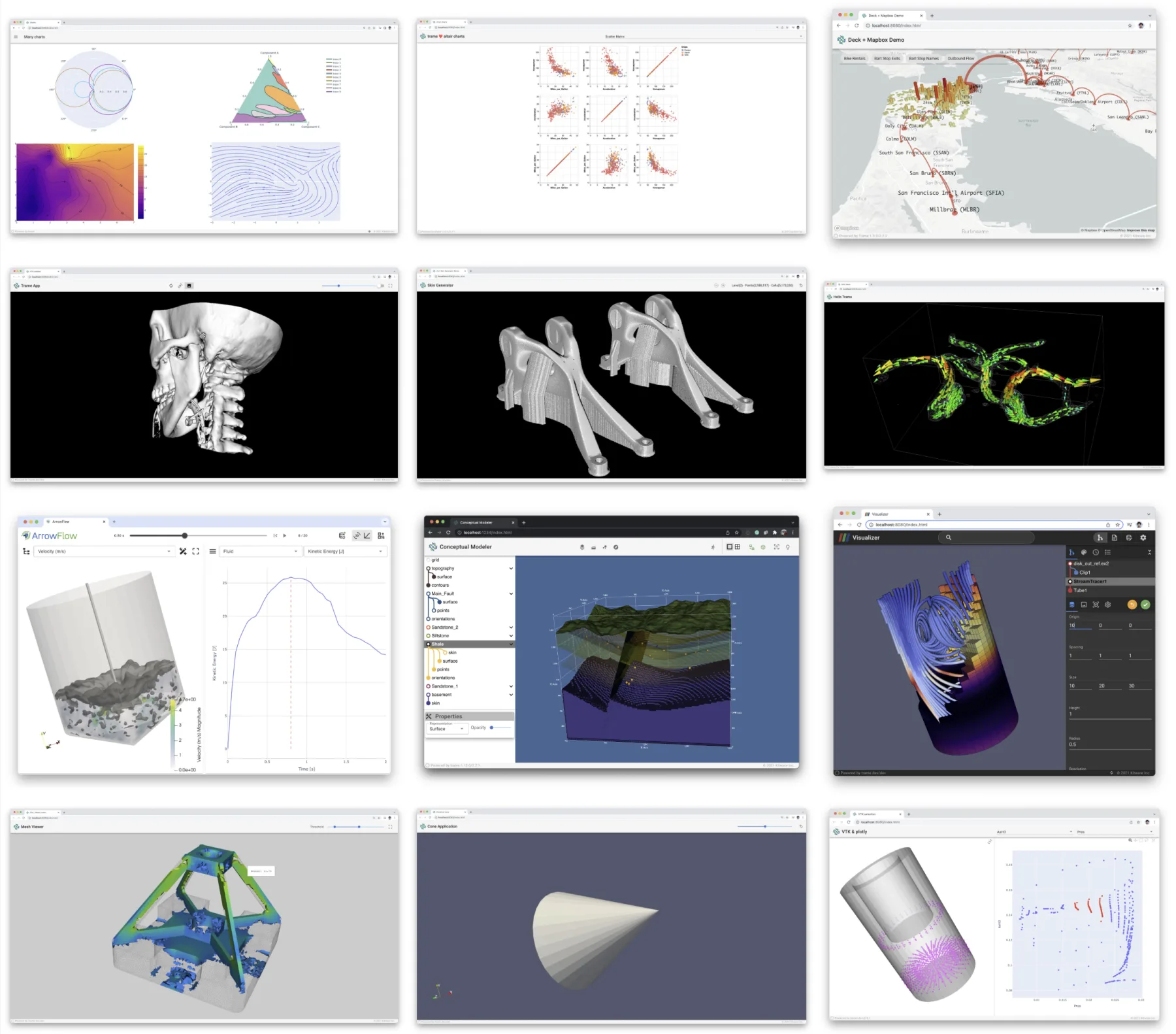
Trame gets the focused criticism because it is the one aimed at 3D data apps, but every framework that pins a session to a process hits the same limits on the way to becoming a production web application. I speculate this is why nearly every screenshot in Trame’s documentation and blogs show localhost in the browser URL.
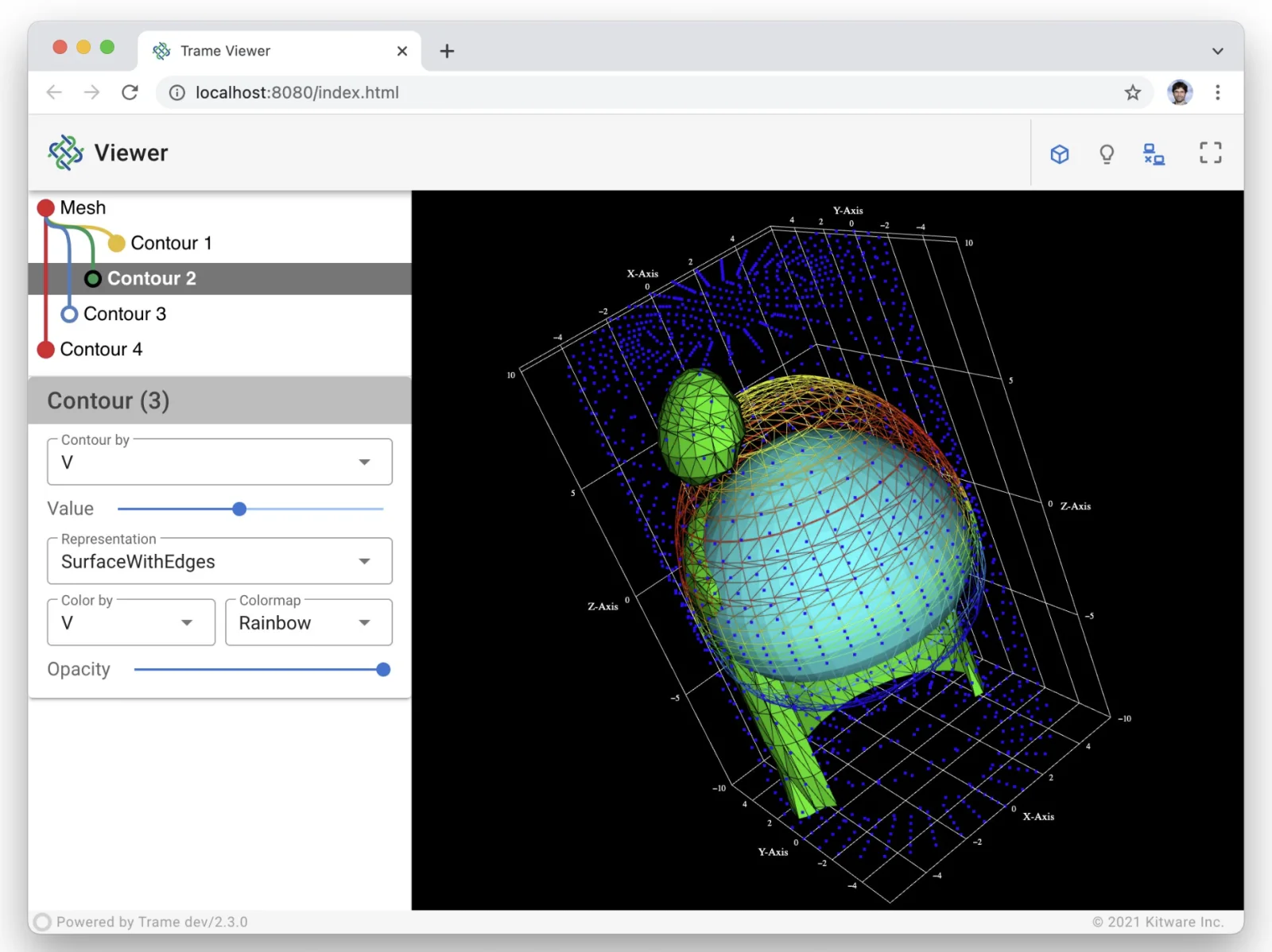
localhost:8080 in the address bar.What a product needs under the viewport
A demo needs one dataset, one Python process running the analysis, and a 3D view that one person can interact with. A product that a team, their customers, and now their agents depend on needs a stack of systems underneath that view.
Each layer is a system someone has to design, build, and keep running, and at terabyte to petabyte scale none of them is optional. Nobody downloads hundreds of terabytes to orbit a camera around a mesh.
The architecture a 3D web app needs
Large web apps give each kind of state one home, and everything else can be replaced, scaled out, or thrown away. 3D applications need that design, plus server-side data, compute, and rendering layers that most web apps get by without.
The interface runs in the browser. The UI is a single-page app in a reactive framework like React or Vue. Menus, tabs, selections, and layout answer in one frame because they never leave the machine.
Every client uses the same API. The web app, a Python script, a CI job, an AI agent, and a customer’s own product all load, filter, measure, and comment through one authenticated API. A feature exists once, and a person and an agent can work on the same scene with the same permissions.
The API is stateless. Any server can answer any request, so you add servers, replace them, and deploy without draining anything.
State has one home. Users, permissions, scenes, analysis pipelines, and comments live in the database. Everything else is a cache that can easily be rebuilt.
Compute follows the work. The science code still runs in Python, as jobs on workers instead of inside a user’s session. Workers pick up jobs, keep nothing that can’t be rebuilt, and scale with jobs and active views. A long job finishes after the user closes the tab.
Data streams in on demand. The raw data sits in chunked formats in object storage and travels to the browser only where the camera is looking, at high detail only where the camera is close.
Rendering runs on either GPU. The browser draws on the user’s own GPU, or a cloud GPU draws and streams the frames. The next section covers the tradeoff.
Collaboration is shared state with per-viewer views. The scene, its analytics, and its annotations are shared through the backend. Each viewer’s camera, theme, and selection belong to that viewer. Presence and follow mode sit on top.
Rendering in the browser and on cloud GPUs
Rendering is the one job in this stack that the browser can take off the server, and client-side and server-side rendering have different strengths. Drawing in the browser on the user’s own GPU costs the server nothing per viewer and answers the camera with no network delay, but it is limited by the device in the user’s hands. Drawing on a cloud GPU and streaming the frames handles scenes too heavy for that device, but it holds a GPU for as long as someone is watching and puts a network hop between the user’s input and each frame.
CoDim does both. We’re focused on delivering data, regardless of size, so the browser draws it directly, and we don’t compromise on cloud GPU render streaming for the views that need it. Switching between the two should be imperceptible.
Cloud rendering means CoDim runs stateful GPU sessions today. Running them properly taught us what a session costs. A render loop that’s idle because nobody is watching looks exactly like a hung one to a naive health check. A redeploy has to move live sessions without dropping a user mid-gesture. A scene that grows in complexity has to move to a bigger GPU without interrupting the work.
Our sessions hold nothing that can’t be rebuilt. The scene, the pipeline, and the comments live in the backend, so a session that dies is replaced and the user keeps their work.
We don’t think the session is needed at all. We are building CoDim’s compute and rendering services to run statelessly, so any worker can serve any view the way any API server answers any request.
Move your 3D app onto CoDim
CoDim serves this architecture for you to build and run your production applications on. If you have a notebook turned demo app, most of your work carries over, and your Python stays Python.
| In your demo app | On CoDim |
|---|---|
| PyVista pipelines inside the server process | Stay in Python, publish your PyVista datasets, and stream solver output directly into CoDim |
| A UI tree of Python-wrapped UI components | Your own React or Vue app, with CoDim’s viewer, timeline, and probes as components |
A trame-vtk remote view per process |
A viewport drawn in the browser or on a cloud GPU with zero provisioning |
| A shared state dictionary in one process | Shared scenes, filters, and comments in the backend, with real-time collaboration |
| A launcher starting a process for every user | Nothing to run; GPU sessions exist only for views whose data needs one |
| A second API you’d write for scripts and agents | The same API for every client, plus an MCP server for agents |
Every client works on the same scenes through the same backend. A PyVista dataset reaches a shared scene with one call to .codim.upload():
import codim
import pyvista as pv

mesh = solver.result()  # any PyVista dataset
mesh.codim.upload("Run 42", project="Wing study")
mesh.codim.show()
A running solver can stream each step into an open scene while the team watches. When only the fields change, the geometry goes once and each step carries the new values:
from codim import Project

scene = Project("Wing study").default_scene
source = scene.add_stream("Live pressure")
with source.connect(solver.mesh, point_data={"p": solver.p}) as live:
    for step in solver.run():
        live.send(point_data={"p": step.p})
AI agents connect through an MCP server whose tools filter, probe, measure, and compare scenes on the full data, with the user’s permissions, in the same live scene the team is looking at.
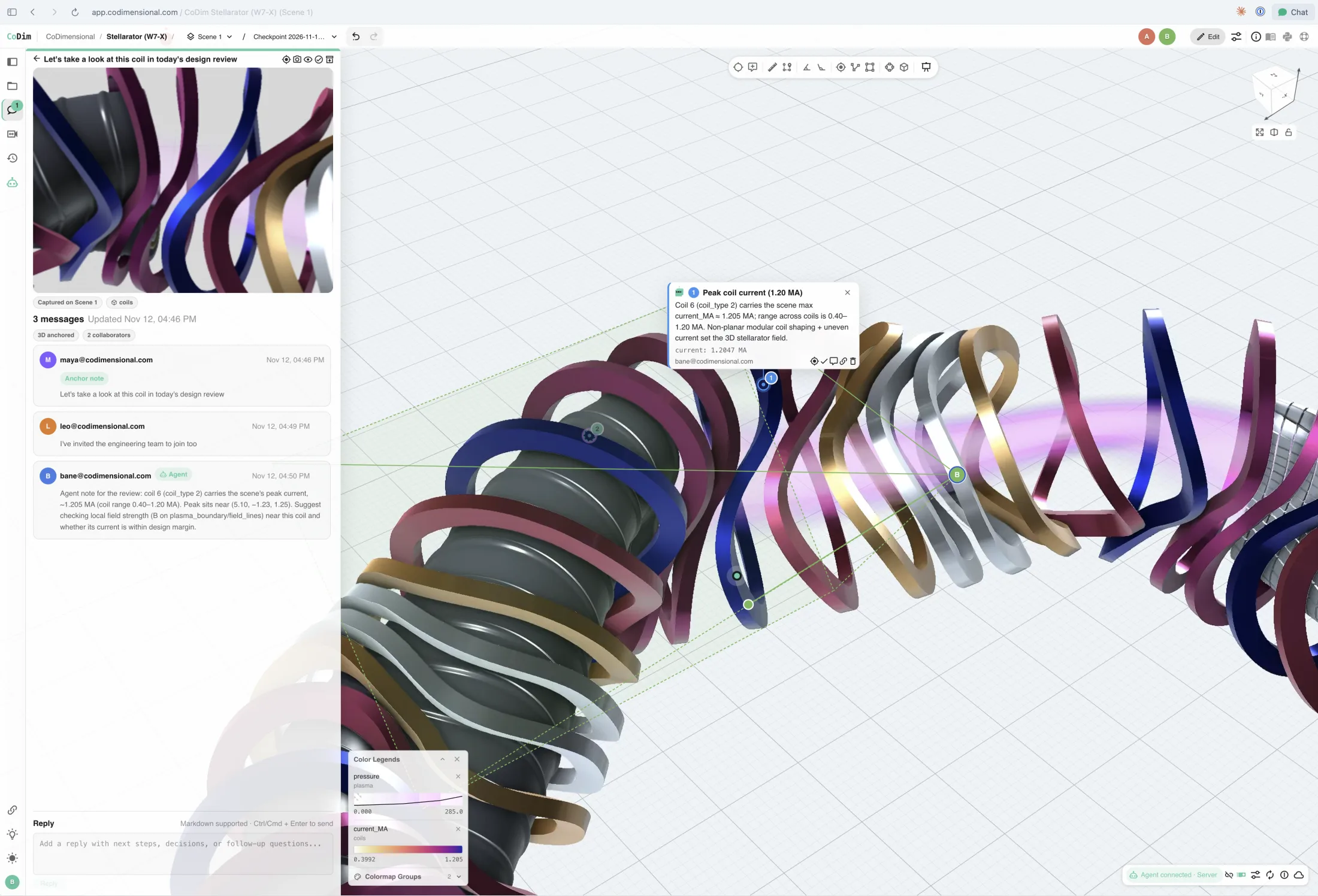
The CoDim SDK puts the same infrastructure inside your product. Your backend signs users in the way it already does and hands each one a short-lived, scoped session. Your frontend is your React or Vue app, with CoDim’s 3D viewport, timeline, probes, and comments as components inside it. Your Python pipelines publish data and stream solver output from wherever they run. The stateful GPU work happens on our side, only when the data needs it.
Here is the layout of a small model review app built that way, trimmed to the CoDim components:
<main className="room">
  <header className="room-bar">
    <PresenceAvatars client={client} />
  </header>
  <section className="stage">
    <CoDimView client={client} orientationWidget="triad" />
    <Colorbar client={client} actorId={selected} />
    <SequenceTimeline client={client} />
  </section>
  <aside className="discussion">
    <CommentsPanel client={client} />
  </aside>
</main>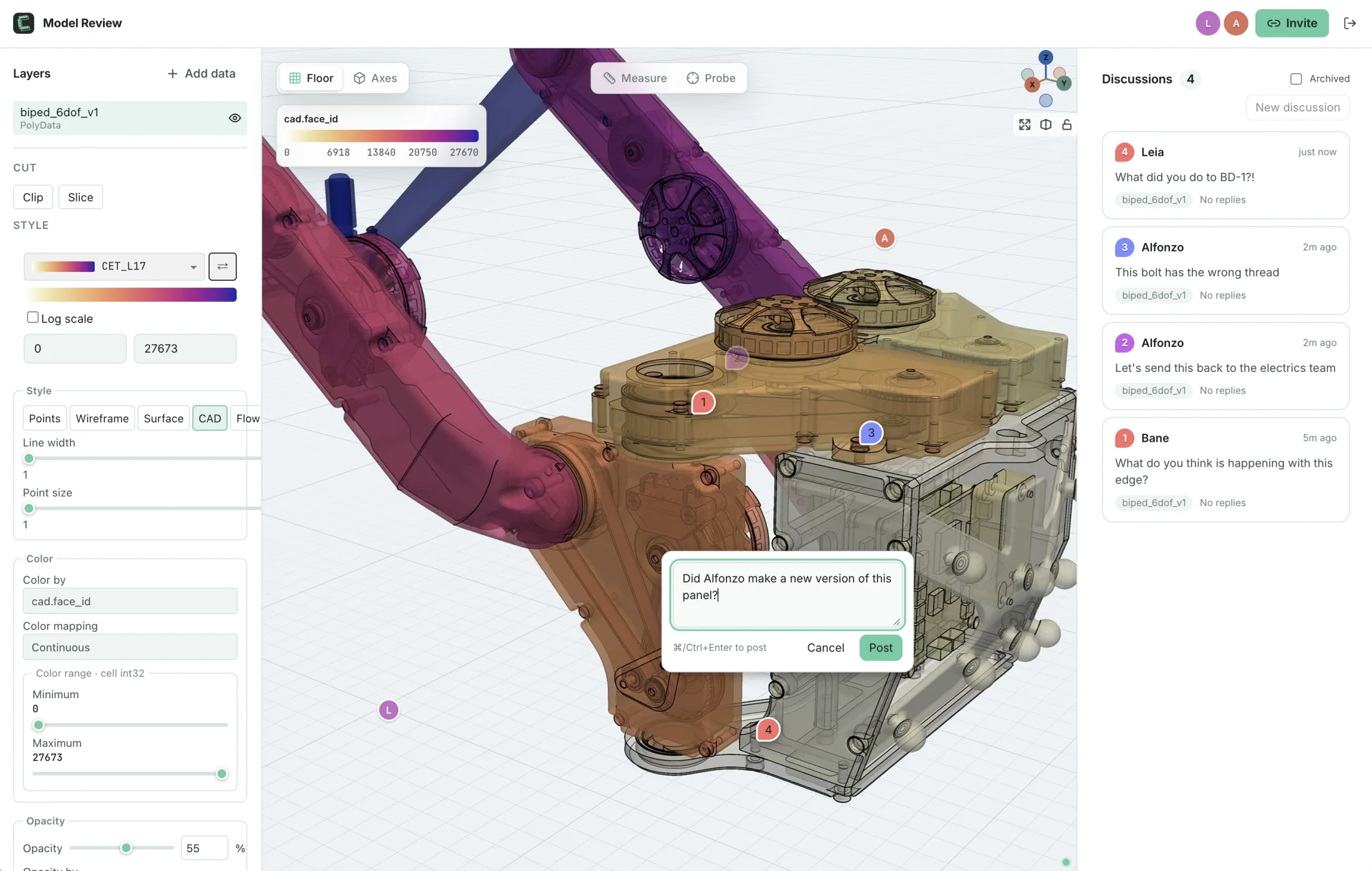
If your app impresses in a demo but falls over in front of customers, talk to us. Send us the workflow that breaks it, and we’ll show you how good it can be.
Get new posts by email